
Models (Pro)
AI models wear your clothing and shoes in product photos and walk videos.
On this page
Before you start
- You need to be the store's owner in Launch Desk (staff can't do this).
- Settings › Models
- Plans: Pro. Credits: Ready-made models are free. A model of your own, and each photo on a model, use one AI image.
Steps
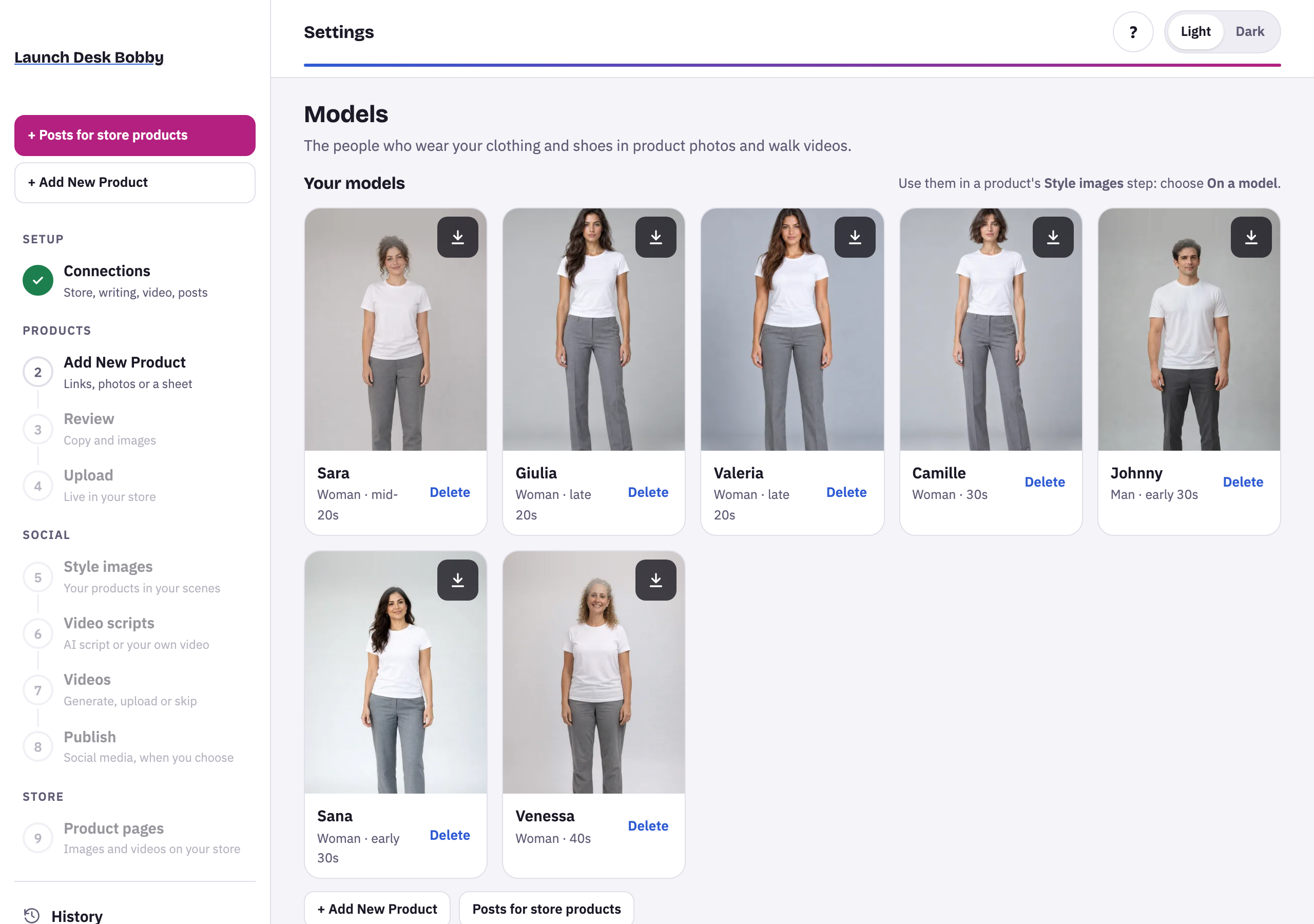
- Open Settings › Models and add one: a Ready-made model (free), one From an AI avatar, one you Describe (age, build, skin tone and hair), or one From my photo (a real adult, with their consent).
- On Style images, choose On a model, then the model and a Setting, like a city street, seaside café or studio runway. You can add your own setting too.
- Press Make. Your product is worn exactly as photographed, and each photo is checked against it: ✓ Product check: unchanged, or a note if something looks different.
Models also walk in short videos, made on the Videos step.
Tips and limits
LimitModels and avatars share the number your plan keeps (10 on Pro).
LimitKids' models are made from a description only.
If something goes wrong
Models come with the Pro plan. An owner can upgrade in Plan & billing.
Models are part of Pro.





















