
AI avatars
Pick or make an AI person who holds and uses your products in style images and avatar videos.
On this page
Before you start
- You need to be the store's owner in Launch Desk (staff can't do this).
- Settings › Avatars
- Plans: Basic, Growth and Pro (Starter doesn't include avatars). Credits: A ready-made avatar used as it is: free. Making your own, and each style image with an avatar: one AI image (included on Pro; $0.59 each on Basic and Growth).
Steps
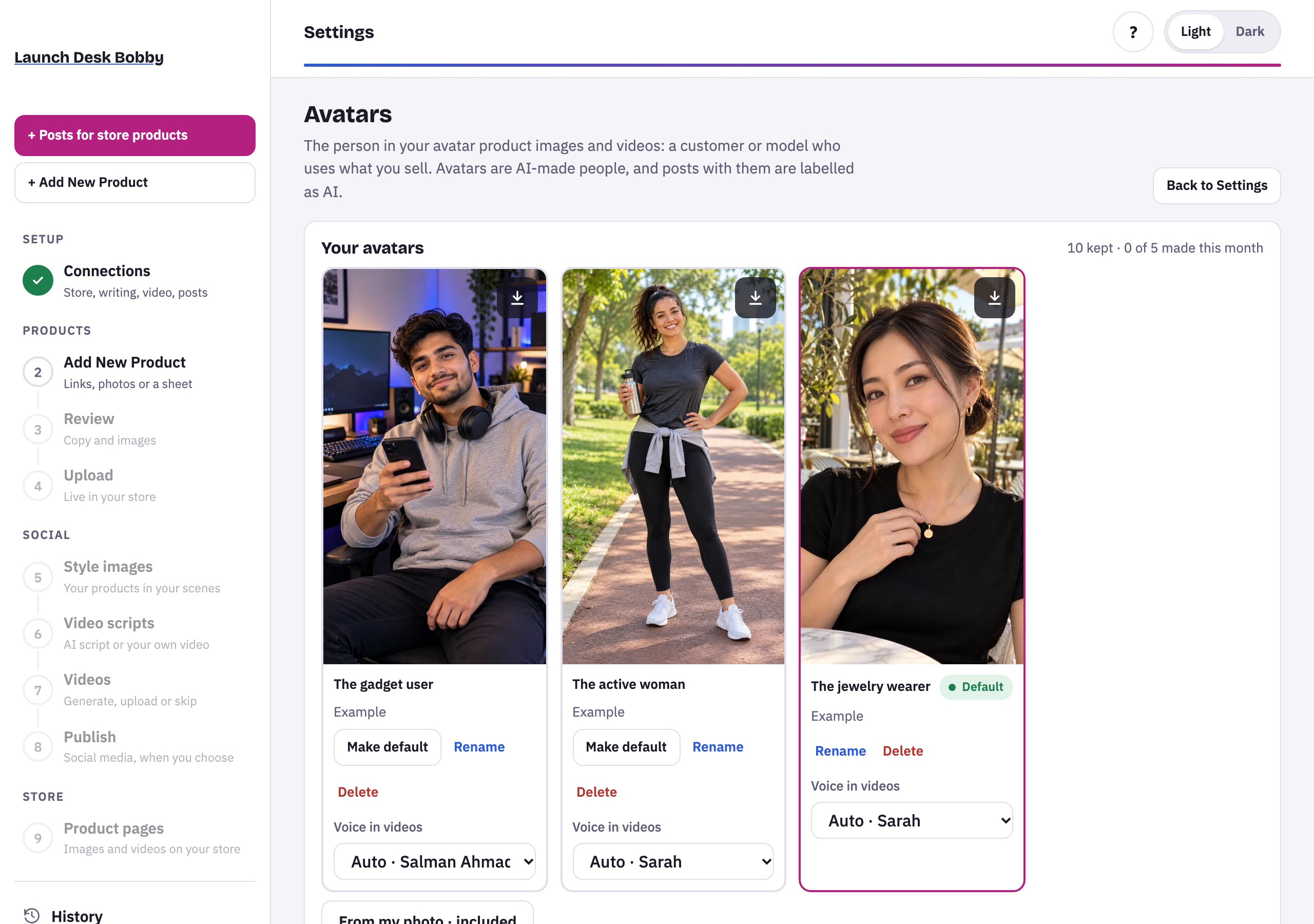
- Open Settings › Avatars. Examples suit your type of store.
- Choose Use this one to use an example as it is, or Make my own version to make a new person from it: choose gender, age, look, outfit, setting and light, then Make it.
- Or make one From my photo: a sharp, well-lit photo of one adult, facing the camera. You confirm it’s you, or that you have the person’s permission, and that they’re an adult. The photo is deleted once the avatar is made.
- Your first avatar becomes the Default, the one style images use. Make default switches to another.
How avatar images are made
On Style images, choose With my avatar. Your avatar holds each product, at its real size, in your avatar’s own setting. The product is reproduced exactly from your photo, and shown only once.
Tips and limits
TipReady-made avatars cost nothing, but other stores can pick the same face. Make your own version for a face that's yours.
LimitAvatars kept: Basic and Growth 3, Pro 10. Up to 5 made each month.
LimitAvatars are AI-made people; posts with them are labeled as AI.
If something goes wrong
Your plan keeps … avatar(s). Delete one first, or an owner can upgrade in Plan & billing.
Delete an avatar you don't use, or change plan.





















