
Style images and videos on your product pages
Add your style images to a product's images, and its video to the description and the Watch & Shop feed, by hand or automatically.
On this page
Before you start
- Anyone on your store's team can do this.
- The product uploaded to your store
- Plans: Style images: all plans. AI videos: the plans that make them (Growth and Pro); your own videos: all plans.. Credits: None.
Steps
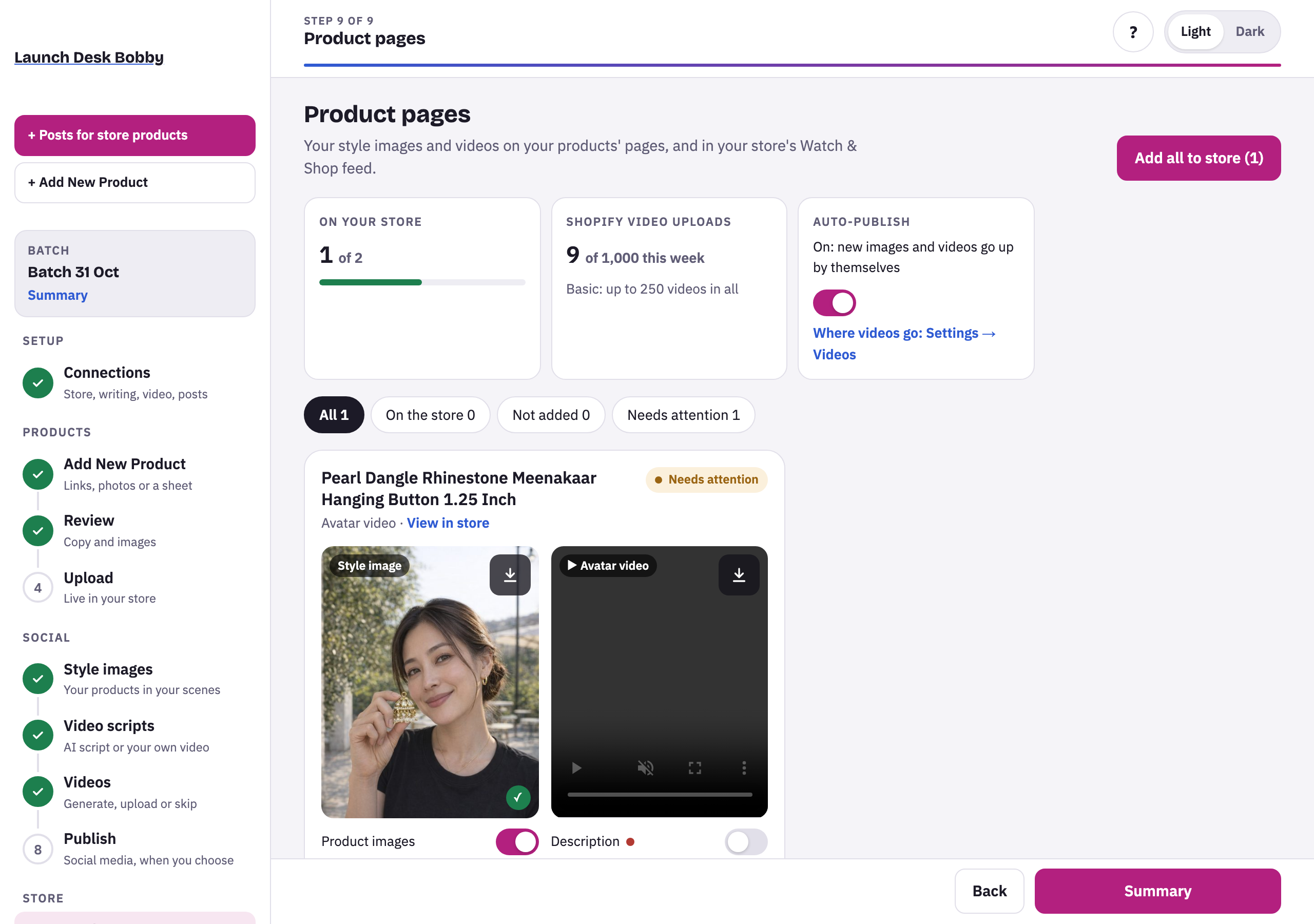
- Open Product pages (after Publish). The cards at the top show how much of the batch is On your store, your Shopify video uploads this week, and Auto-publish.
- Each product shows its style image and video, with switches:
- Style image: Product images.
- Video: Description (a vertical player at the top of the description) and Product images.
- Switch on where each should go, or press Add all to store. A ✓ marks what’s on the store.
Filter by On the store, Not added or Needs attention. View in store opens the product page.
Where videos go by default
Settings › Videos › Videos on your product pages: Description (default, 1 Shopify video upload per product), Product images (1), or both (2 uploads per product).
Tips and limits
TipAuto-publish (on by default) adds each new style image and video as soon as it's ready, and a remade one replaces the earlier one.
TipTurning a switch off takes it off the product page and out of your store's files.
If something goes wrong
This product isn't in your store yet. Upload it first.
Upload the product on the Upload step, then add its images and video.
Shopify's weekly video limit is used.
Shopify limits how many videos a store uploads each week. Try again after it resets.





















